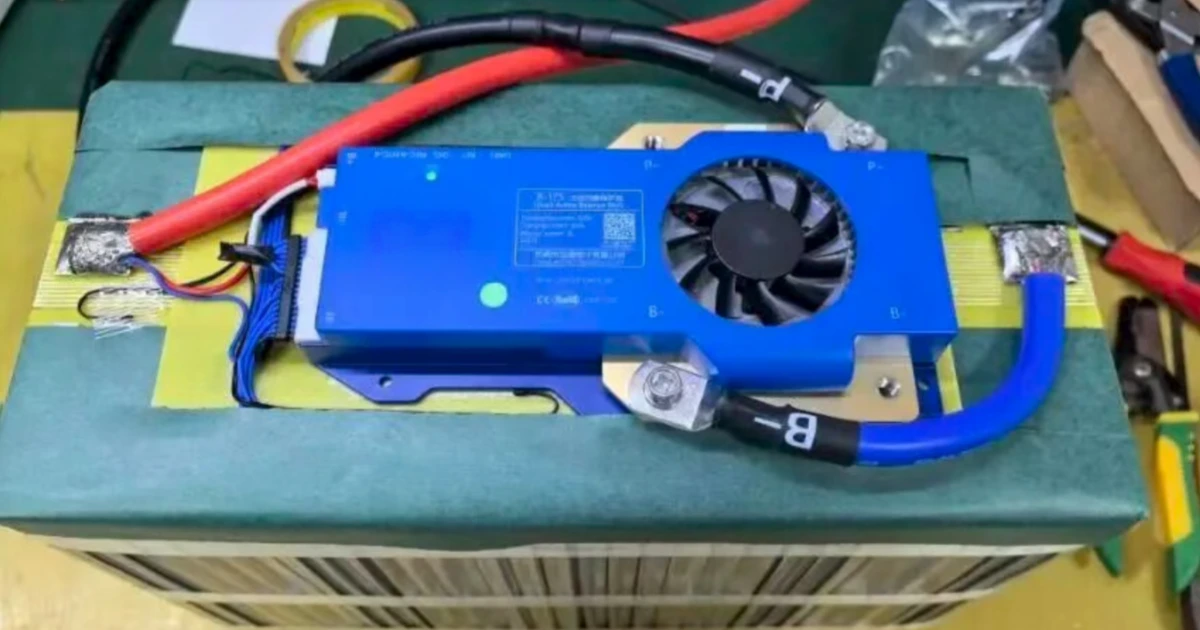
Many lithium battery users have experienced this: the battery suddenly stops outputting after being fully charged, or it cannot be used after sitting unused for a period of time. In many cases, the BMS has entered protection mode.
This article explains the common causes of BMS lockout and how to restore the battery based on practical cases.
1. What Is a BMS Lockout?
The Battery Management System (BMS) monitors cell voltage, current, and temperature in real time. When it detects an abnormal condition, it disconnects the battery output to protect the cells. This is often referred to as a BMS lockout.
For more information about BMS functions and how BMS differs from a protection circuit module, see our guide: BMS vs. PCM: Difference Between Lithium Battery Management System and Protection Board.
In most cases, the BMS is protecting the battery rather than being damaged.
Common symptoms include:
- The total battery voltage is normal, but there is no output under load.
- The battery cannot be charged, or the charger shows no response.
- Some BMS units may show a flashing or warning indicator.
2. Common Causes of BMS Lockout
1. Low Cell Voltage
If one cell group falls below the BMS protection threshold, the BMS may trigger over-discharge protection.
Typical lower limits are around 2.8V for NMC lithium-ion cells and 2.5V for LiFePO4 cells, depending on the BMS settings.
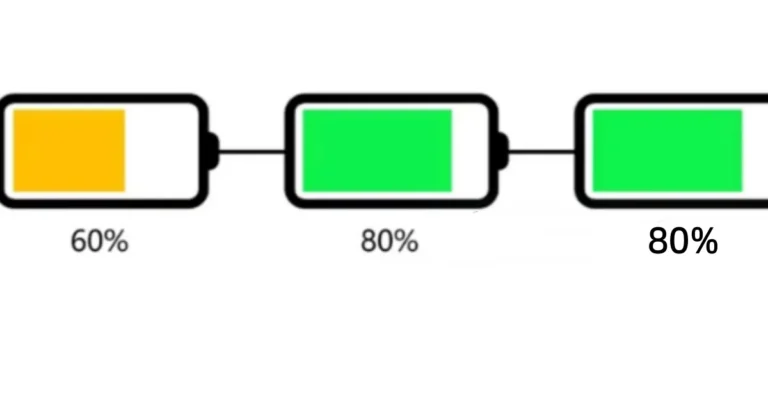
This is often related to poor cell consistency. One cell group may reach the low-voltage limit before the others, causing the BMS to disconnect the battery.
Cell consistency and internal resistance are important factors in battery performance. For more information, see our article on Lithium-Ion Battery Internal Resistance Testing.
2. Overcharge Protection
If one cell group exceeds the upper voltage limit during charging, the BMS may trigger overcharge protection.
Typical upper limits are around 4.2V for NMC cells and 3.65V for LiFePO4 cells.
Poor cell consistency or insufficient balancing can cause one cell group to reach the upper limit before the others.
3. Overcurrent or Short Circuit
If the discharge current exceeds the BMS rating, or the positive and negative terminals are shorted, the BMS may immediately cut off the output.
A short circuit can be dangerous and may generate sparks or excessive heat. A brief protection event may not damage the BMS, but prolonged short-circuit conditions can damage the MOSFETs and create a fire risk.
4. Abnormal Temperature
The BMS may also disconnect the battery when the cell temperature is outside its configured operating range.
For example, some BMS settings may trigger protection when the temperature is above 60°C or below -20°C.
This can occur in electric vehicles or other battery systems exposed to high temperatures, especially when the battery enclosure has poor ventilation.
5. BMS Fault or Firmware Issue
In some cases, the BMS itself may have a hardware fault, aging components, or a firmware issue.
This is less common. It is better to check the cell voltage, current, and temperature conditions first before replacing the BMS.
3. How to Restore a Locked BMS
The recovery method depends on the protection condition.
If the BMS supports automatic recovery, removing the abnormal condition and connecting a suitable charger may allow it to exit protection mode.
If the battery voltage is far below the BMS low-voltage threshold, the cells may need to be carefully recharged to a safe voltage level before normal charging can resume.
For reference, the minimum cell voltage should generally be restored above the BMS protection threshold, such as 2.5V for LiFePO4 or 2.8V for NMC, according to the specific BMS settings.
If these methods do not work, the BMS may need to be replaced.
When replacing a BMS, make sure the replacement has the correct cell count, chemistry, voltage, current rating, and wiring configuration. The balance-wire sequence must also be connected correctly, as incorrect wiring can damage the BMS.
For batteries with damaged MOSFETs, burning smells, overheating, or other visible signs of damage, do not repeatedly attempt to activate the BMS. Replacement or professional inspection is recommended.
4. Key Points to Remember
- Check the individual cell voltages first. Finding the abnormal cell group is more important than simply resetting the BMS.
- Frequent BMS protection usually indicates an underlying problem, such as poor cell consistency or a weak cell. Balancing or replacing the affected cells may be necessary.
- After recovery, avoid high-current discharge immediately. Perform a low-current charge and discharge cycle and monitor the cell voltages.
- If the BMS shows signs of physical damage, replace it instead of repeatedly trying to reset it.
A BMS lockout is usually a protection function rather than a battery failure. Finding and fixing the underlying cause is the key to preventing repeated protection events.
Need a Customized Lithium Battery Pack?
LNC provides OEM and ODM lithium battery pack solutions based on your required voltage, capacity, dimensions, current, BMS configuration, and application.
Contact LNC for a Custom Battery Solution
Safety Note: Battery and BMS work involves electrical and fire hazards. If you are not familiar with battery circuits, do not disassemble or work on a live battery pack. Seek help from a qualified battery technician.